Authentication
GreenCart includes a complete login flow — from first launch through password recovery.
Auth Flow
App Launch → Splash Screen
                ↓
        First time? → Onboarding → Welcome
        Returning?  → Home Screen (auto-login)
                ↓
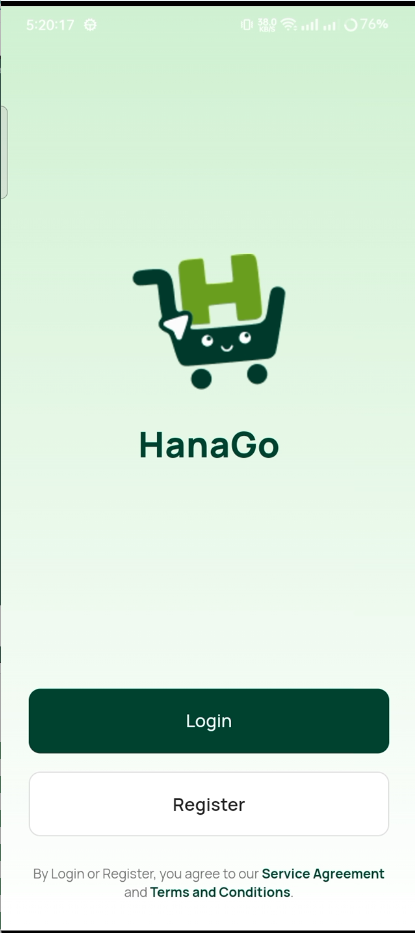
            Welcome Screen
           ↓           ↓
         Login       Register
           ↓           ↓
       [Success]   [Success]
           └─────┬─────┘
                 ↓
             Home Screen

Forgot Password:
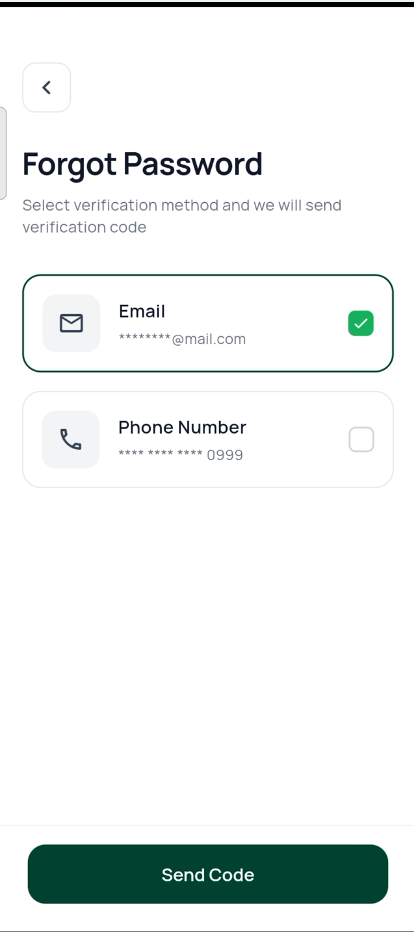
Login → "Forgot Password?" → Enter Email → OTP → New Password → Login
Welcome
Login
Register
Screens
Welcome Screen
The landing screen after onboarding with two buttons:
- Sign In — goes to Login
- Create Account — goes to Register
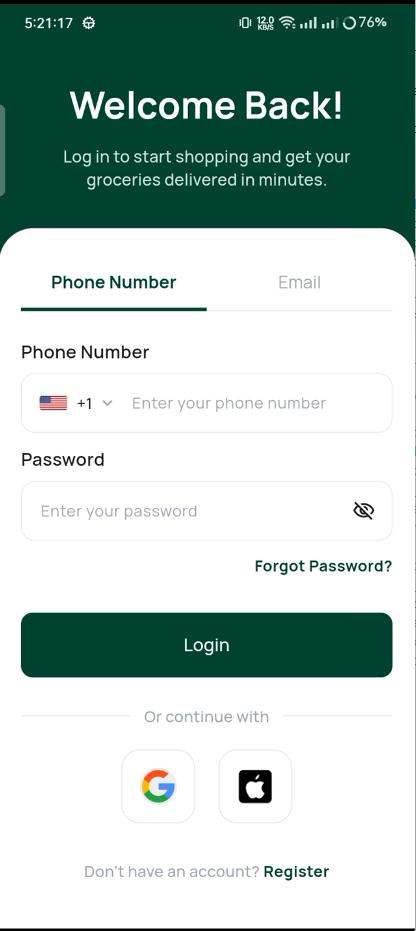
Login Screen
- Email input with validation
- Password input with show/hide toggle
- Country code picker for phone login
- "Remember Me" toggle
- "Forgot Password?" link
- Social login buttons (ready to connect)
Login
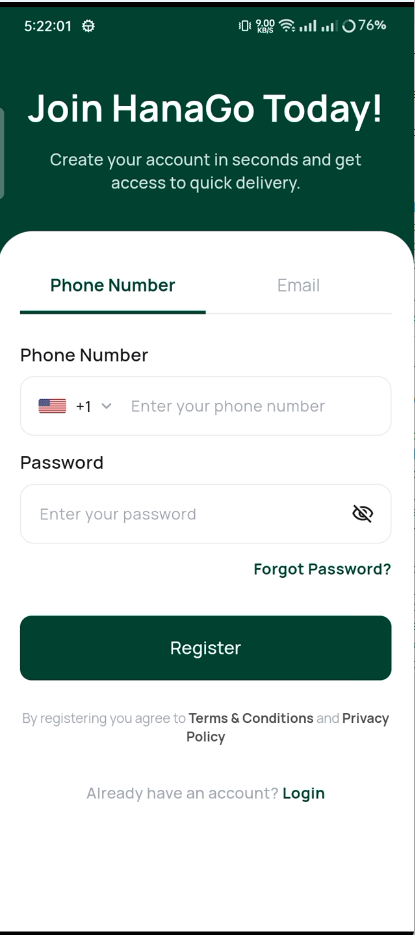
Register Screen
- Full Name
- Email Address
- Phone Number (with country code)
- Password and Confirm Password
- Terms and Conditions checkbox
Register
Forgot Password
Enter your email address to receive a password reset code.
Forgot Password
OTP Verification
- 6-digit PIN input
- Auto-submit when complete
- Resend button with 60-second timer
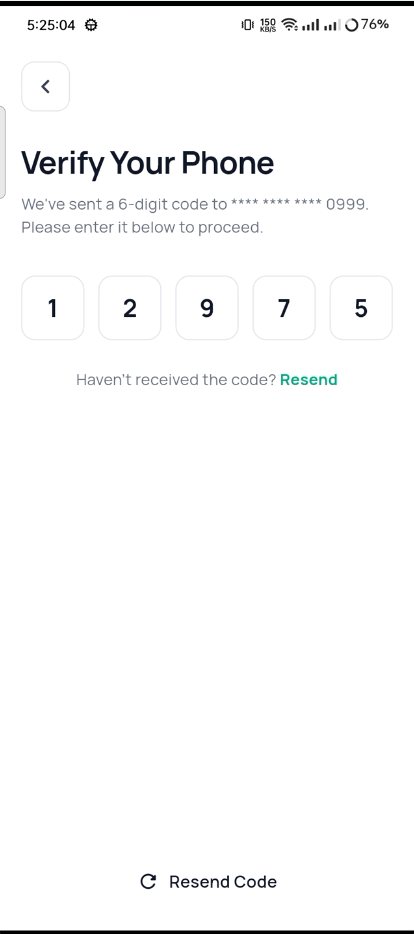
OTP Verification
New Password
- New password field with strength indicator
- Confirm password field
- Success navigates back to Login
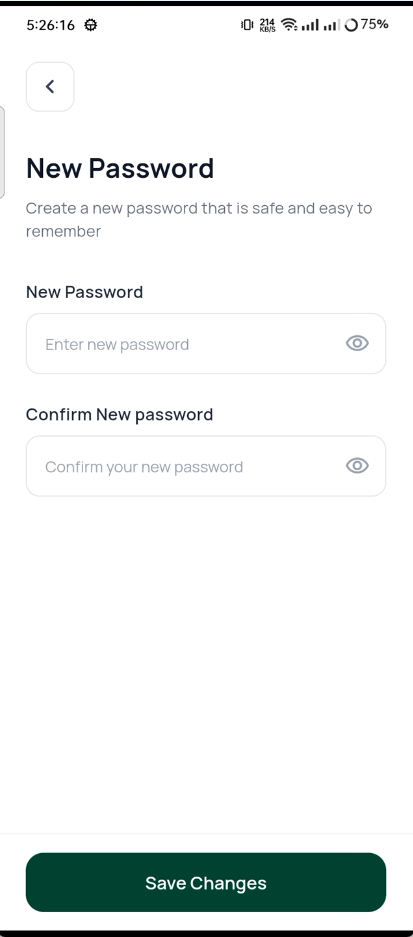
New Password