Cart and Checkout
Complete checkout experience from cart to order confirmation.
Cart Screen
Review your items before checkout.
Features
- List of cart items with image, name, variant, quantity
- +/- buttons to adjust quantity (zero removes item)
- Swipe left to delete an item
- Price summary — subtotal, delivery fee, taxes, total
- Promo code field
- Proceed to Checkout button
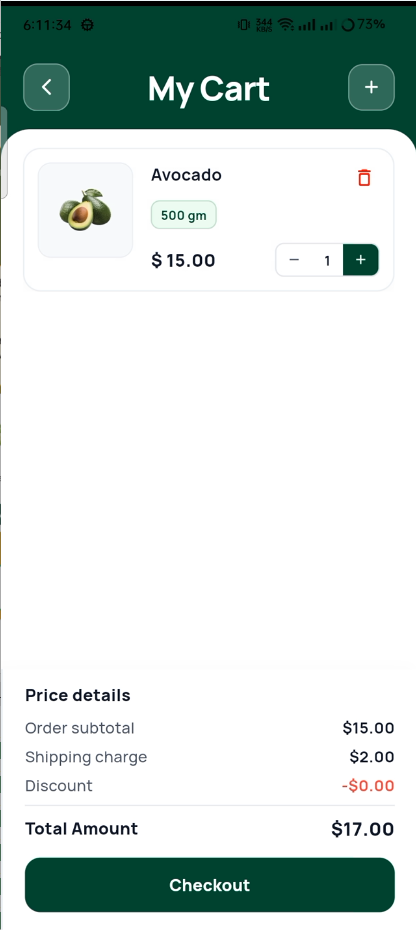
Cart
Checkout Screen
A single scrollable page with 6 sections:
1. Delivery Address
- Select from saved addresses
- Add new address
2. Delivery Schedule
- Pick date (Today, Tomorrow, or custom)
- Pick time slot (1-hour blocks)
3. Order Summary
- List of items with quantities and prices
4. Coupon / Promo Code
- Enter code and tap Apply
- Shows discount amount when applied
5. Price Details
Subtotal:           $42.50
Delivery Fee:        $2.99
Discount (SAVE10): -$4.25
─────────────────────────
Total:              $41.24
6. Payment Method
- Select saved card or Cash on Delivery
- Add new card option
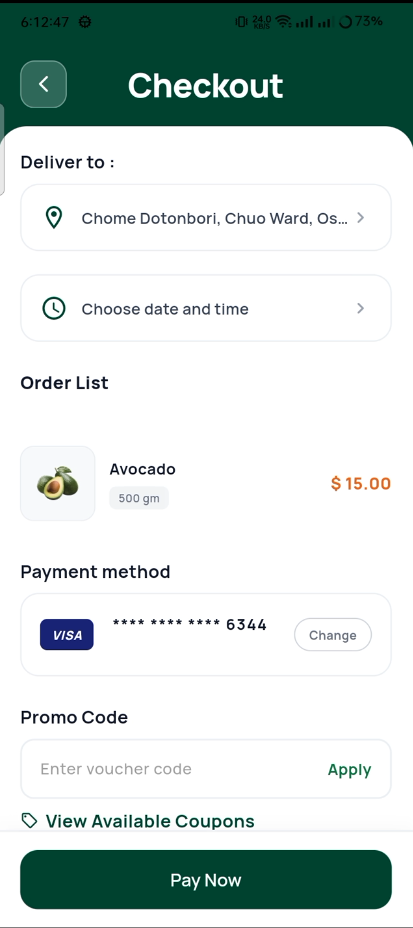
Checkout
Date and Time Picker
Pick your delivery date and time.
- 7-day date picker (Today + next 6 days)
- Time slots in 1-hour blocks
- Unavailable slots shown greyed out
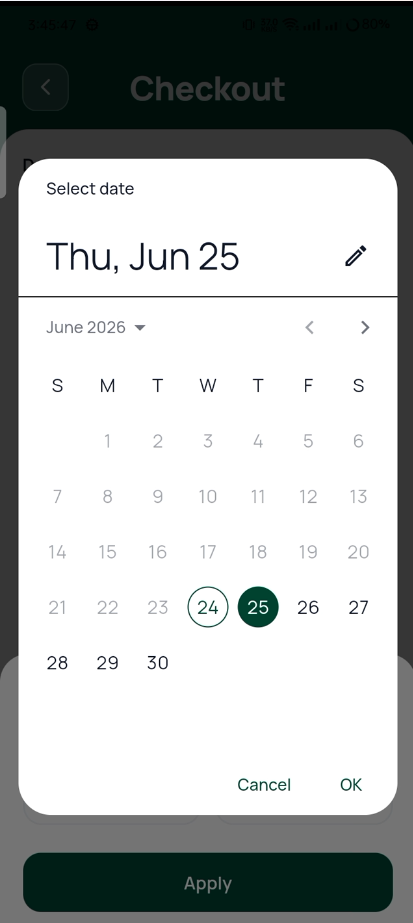
Date & Time Picker
Order Confirmed
Animated success screen after placing an order.
- Animated checkmark
- Order number
- Delivery address and estimated time
- "Track Order" button
- "Continue Shopping" button
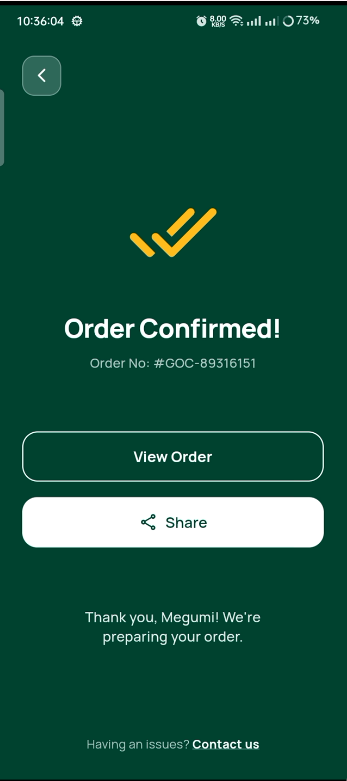
Order Confirmed
:::tip Payment Integration To add a real payment gateway (Stripe, Razorpay, PayPal):
- Add the SDK to
pubspec.yaml - Replace the payment stub in
checkout_controller.dart - On success, the UI flow works automatically :::