Notifications
GreenCart includes push notifications and an in-app notification center.
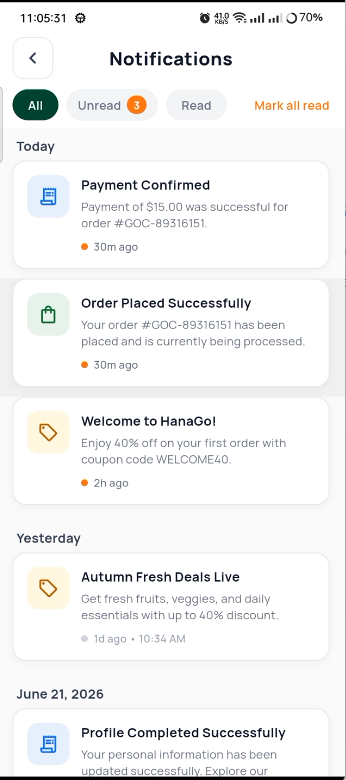
Notification Center
View all your notifications in one place.
Features
- Tabs — All, Orders, Promotions, System
- Unread badge — count of unread notifications per tab
- Notification card — icon, title, message, timestamp
- Swipe to dismiss — mark as read or delete
- Mark all as read — button in app bar
- Pull to refresh — get latest notifications
- Tap to view — open full notification details
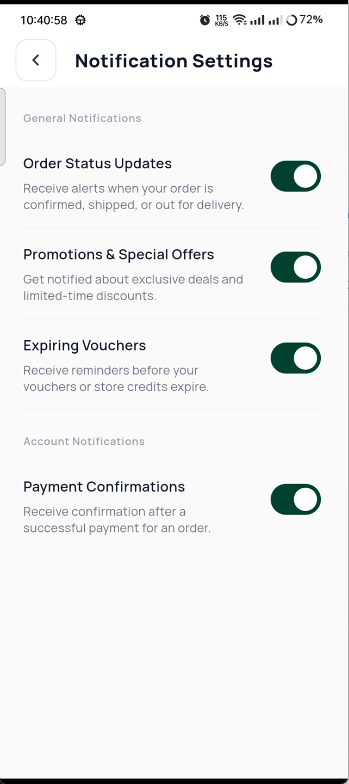
Notifications
Notification Details
Full-page view of a single notification.
- Large banner image (if available)
- Full title and body text
- Received timestamp
- Action button (e.g., "View Order", "Shop Now")
Notification Details
Notification Categories
| Category | Icon | Examples |
|---|---|---|
| Order | Box | Order confirmed, shipped, delivered |
| Promo | Tag | Sales, discounts, new arrivals |
| System | Gear | App updates, maintenance |
| AI | Robot | Personalized suggestions |
Push Notifications
GreenCart uses Firebase Cloud Messaging (FCM) for push notifications.
Setup Steps
- Create a Firebase project
- Add your Android and iOS apps
- Download
google-services.json(Android) andGoogleService-Info.plist(iOS) - Enable Cloud Messaging in Firebase Console
Sending Notifications
Use the Firebase Console to send notifications:
- Go to Cloud Messaging
- Click "Send your first message"
- Enter title and body
- Select your app
- Send to test device or all users