Settings
Complete account management with 11 screens.
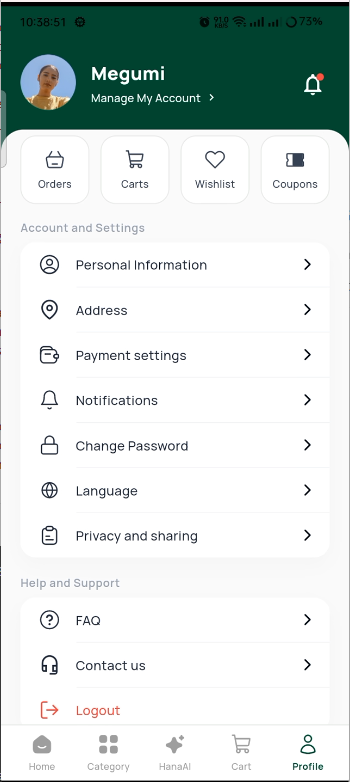
Settings Hub
The main settings screen with profile card and menu options.
Menu Items
| Menu | What It Does |
|---|---|
| My Account | Edit personal info |
| Delivery Address | Manage saved addresses |
| Payment Method | Manage payment cards |
| Notifications | View notification history |
| Change Password | Update your password |
| Language | Switch between 9 languages |
| Privacy | Privacy policy |
| FAQ | Frequently asked questions |
| Coupons | Available discount codes |
| Contact Us | Call or email support |
| Logout | Sign out of the app |
Settings
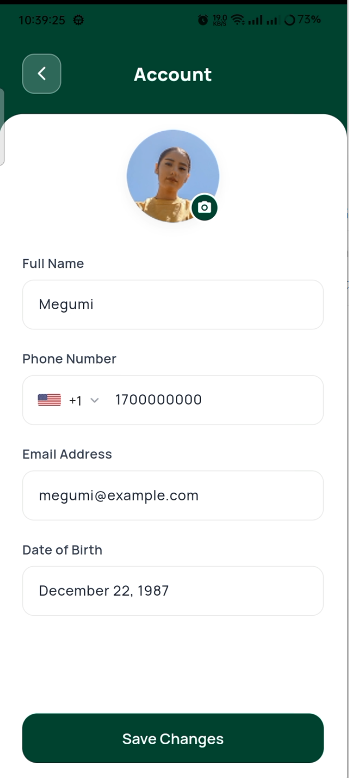
Account
Edit your personal information.
- Profile photo (from gallery or camera)
- Full Name
- Phone Number
- Date of Birth
- Gender
Account
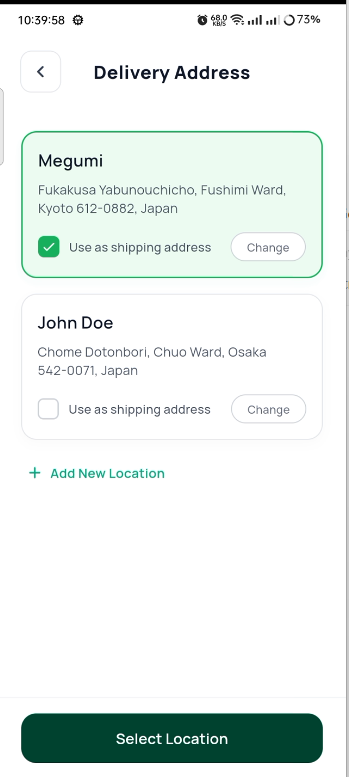
Delivery Addresses
Manage your saved delivery addresses.
- List of saved addresses
- Default address highlighted
- Set any address as default
- Edit or delete addresses
- Add new address
Delivery Address
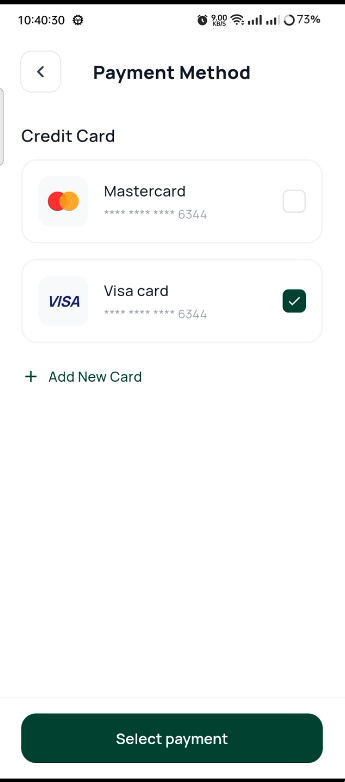
Payment Methods
Manage your saved payment cards.
- Visual card display
- Add new card (number, name, expiry, CVV)
- Remove card
- Set default payment method
Payment Method
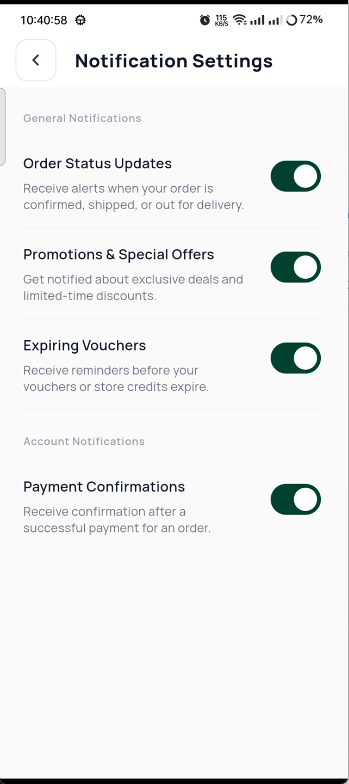
Notifications
View your notification history.
- Tabs: All, Orders, Promotions, System
- Unread count per tab
- Tap to view full notification
- Swipe to dismiss
- "Mark all as read" option
Notifications
Change Password
Update your password securely.
- Current Password
- New Password (with strength meter)
- Confirm New Password
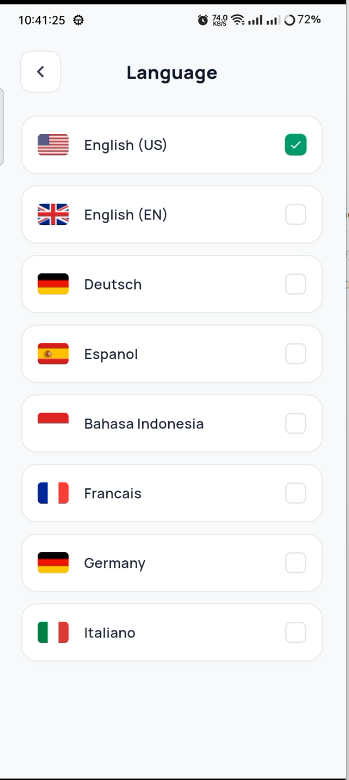
Language
Switch between 9 supported languages.
Language
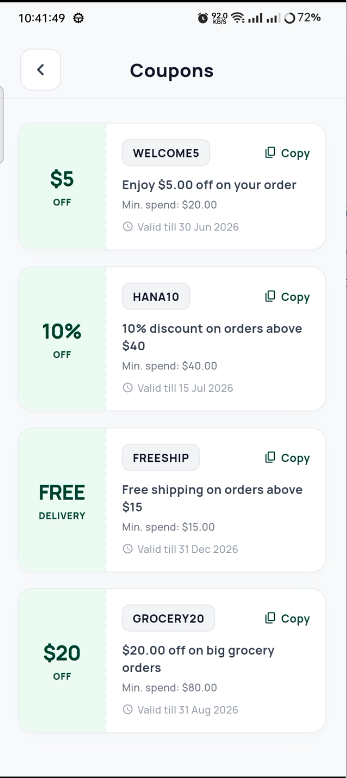
Coupons
View available discount codes.
- Coupon code and discount percentage
- Minimum order value
- Expiry date
- Copy code button
Coupons